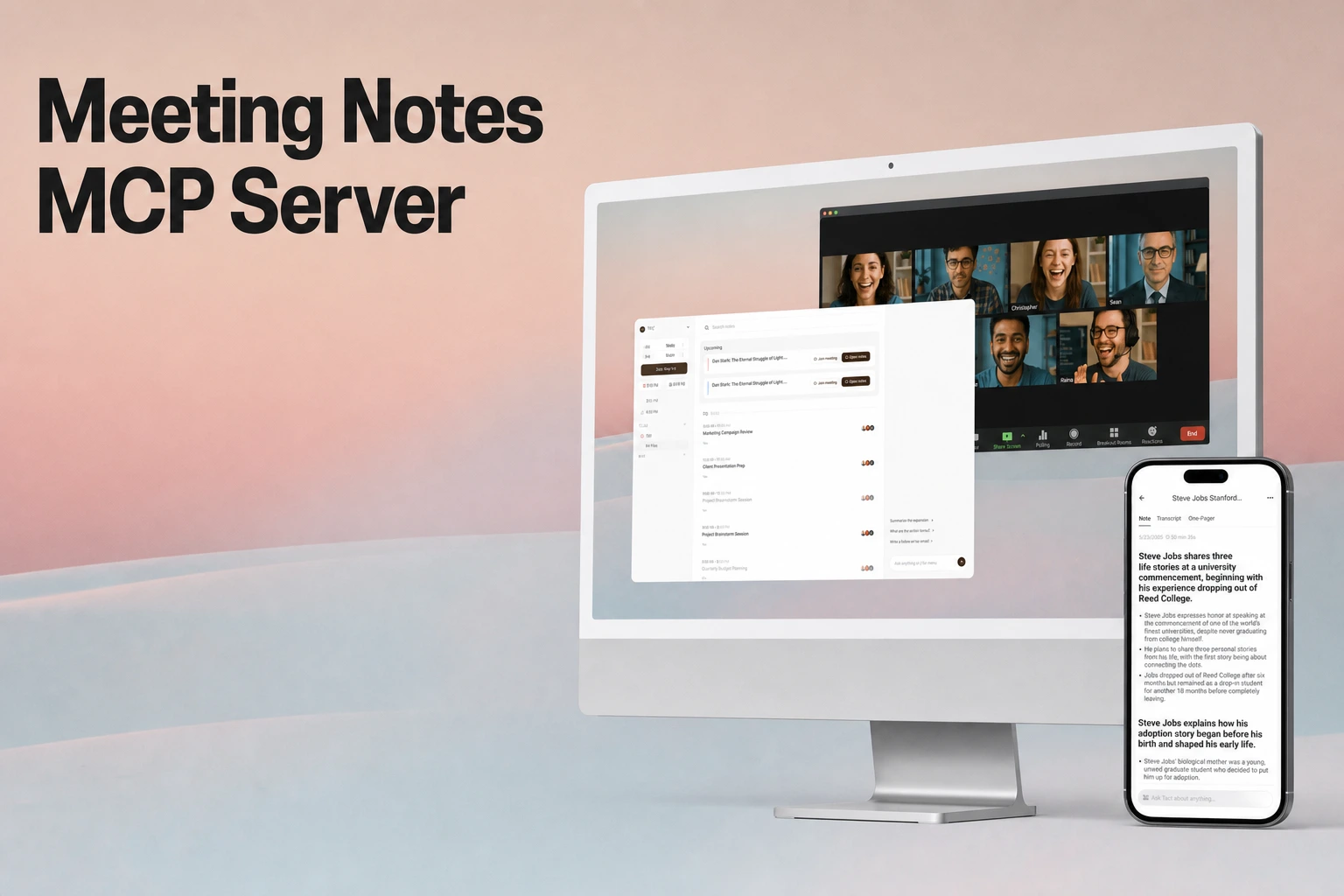
Meeting Notes MCP Server: How AI Agents Search, Retrieve, and Use Meeting Context
Learn how a meeting notes MCP server enables AI agents to discover, search, and extract diarized transcripts, summaries, and action items, comparing MCP tool discovery with REST APIs.
Key takeaways
- Tiro's remote MCP server at
https://mcp.tiro.ooo/mcplets AI clients such as Claude, ChatGPT, Codex, Cursor, and VS Code search and read notes, transcripts, summaries, documents, and the wiki. Interactive clients sign in with OAuth, headless tools send an API key, and every tool is read-only. - The Model Context Protocol specification paginates list operations such as
tools/listwith opaque cursors and server-set page sizes, while Tiro's tools size their own results, from cursor-pagedlist_notesmetadata to a fullget_note_transcriptreserved for exact quotes. - Tiro offers three developer surfaces: the MCP server for AI clients, a REST API at
https://api.tiro.ooowith webhooks (600 requests per 60 seconds per API key), and the@theplato/tiro-cliCLI for shells, CI, and bulk export. - Transcripts arrive as paragraphs from
GET /v1/external/notes/{noteGuid}/paragraphs: original and translated text, a short paragraph summary, locales, diarized speaker segments, and each paragraph's start and end time. - MCP tools are scoped as well as read-only, with most needing
mcp:note:read. Creating or deleting a share link is a REST call that requires thenote:writescope, and a password-protected link's details unlock only with the correct password.
The role of Model Context Protocol in meeting context retrieval
Modern AI agents and developer assistants require access to institutional memory, project discussions, and operational decisions recorded during team conversations. Rather than manually pasting meeting transcripts into prompt windows, developers use the Model Context Protocol to bridge language models directly to external meeting-note data sources.
MCP establishes an open architecture for LLM applications to query external services dynamically. When connected to a meeting-notes MCP server, an AI assistant queries available tool definitions, identifies appropriate methods to retrieve note records, and pulls specific context segments required to answer user prompts or complete multi-step tasks.
Meeting context presents unique data-volume challenges. Full audio transcriptions for multi-hour meetings generate thousands of words, speaker-transition timestamps, and translation variants. According to the Model Context Protocol specification, MCP supports paginating list operations that return large result sets using an opaque cursor-based approach instead of numbered pages. Under this specification, page size is determined by the server, and clients must not assume a fixed page size. The server provides a cursor in its response, and the client continues paginating by submitting a subsequent request containing that cursor token.
The specification applies this pagination to its list operations (resources/list, resources/templates/list, prompts/list, and tools/list), not to the content a tool returns, so Tiro sizes results inside its tools. list_notes returns metadata only, about 50 tokens per note, and pages through results with pagination.cursor and nextCursor (a keyword search returns one relevance-ranked page). search_notes returns each match's primary documents and truncates any document longer than 5,000 characters. get_note_transcript returns the full transcript in one response, so Tiro's MCP overview calls it a token-heavy last resort for exact wording.
Architectural interfaces: MCP servers, REST APIs, and CLIs
Integrating meeting context into software engineering workflows and enterprise architectures requires choosing the appropriate developer surface for the task. Tiro provides three complementary developer interfaces, an MCP server, a REST API with webhooks, and a command-line interface (CLI), and all three share the same credential scheme.
| Interface | Primary consumer | Interaction model | Typical use cases |
|---|---|---|---|
| MCP Server | MCP-aware AI clients (Claude, ChatGPT, Codex, Cursor, VS Code) | JSON-RPC tool calls over streamable HTTP to https://mcp.tiro.ooo/mcp; every tool is read-only | Interactive question answering, meeting synthesis, small reads with multi-turn reasoning |
| REST API | Services, integrations, webhook consumers | HTTPS requests to https://api.tiro.ooo with an API key as the Bearer token | Service-to-service sync, webhook-driven pipelines, share links and documents, organization member management |
| CLI | Shells, CI pipelines, ad-hoc agents | tiro commands that print NDJSON with --json or write files with --output | Bulk export, saving transcripts to files, scripting |
MCP server for conversational agent execution
An MCP server exposes functions as callable tools within the agent's reasoning loop. When an engineer asks an agent, "What architectural decisions were agreed upon during yesterday's platform sync?", the agent inspects the server's tool definitions, executes a search tool with relevant keywords or date parameters, and inspects the resulting records before formulating an answer.
Tiro's MCP server runs remotely at https://mcp.tiro.ooo/mcp. Interactive clients authenticate with OAuth and headless tools with an API key, and a client sees only the tools that the connection's scopes allow. From a connected client, users can search notes, read transcripts and summaries, and explore the wiki in plain language. The tool reference groups the tools like this:
| Group | Tools | What they do |
|---|---|---|
| Notes & Content | list_notes, search_notes, get_note, get_note_transcript, list_document_templates, get_document_template | List note metadata, search notes and return their primary documents, get a note with its summary, transcript, or documents, get a full transcript with timestamps and speakers, and read document templates |
| Sharing & Organization | search_private_folders, search_team_folders, get_note_folders, get_share_link | Search private and team folders by name, list the folders a note belongs to, and read a note's share link |
| Wiki | search_wiki, get_wiki_page, list_wiki_mentions, get_wiki_graph, list_workspaces | Search and read wiki pages, list the notes that mention a page, traverse the knowledge graph, and list accessible workspaces with their wiki status |
| Authentication | auth_status | Check the authentication method and granted scopes |
The docs suggest looking up notes in this order: list_notes for metadata, search_notes for content, and get_note_transcript for raw words, and the first two steps answer most questions. get_note with include: ["summary", "transcript", "documents"] fetches a note's content in a single call. The wiki tools work only in workspaces on Pro, Max, Team, or Enterprise where an admin has turned the wiki on; otherwise they return a 402 error.
REST API for programmatic workflows
While an MCP server allows an AI agent to decide which tools to execute at runtime, background data pipelines require deterministic HTTP endpoints. Tiro's REST API, hosted at https://api.tiro.ooo, allows applications to read and manage notes, transcripts, summaries, and folders.
The API enforces predictability and system stability:
- Authentication: Every request carries the full API key (
{id}.{secret}) as a Bearer token in theAuthorizationheader. An account API key acts with one user's permissions across every workspace that user can access, while workspace and organization API keys act within their workspace or organization. - Rate limiting: 600 requests per 60 seconds per API key. If a client exceeds this threshold, the server returns an HTTP
429 Too Many Requestsstatus code accompanied byRetry-AfterandX-RateLimit-*response headers. - Event notifications: Tiro webhooks send an HTTP POST with a JSON payload to the endpoint you register in Tiro Platform, with your secret in the
Authorization: Bearerheader. Payloads carry metadata only and usually stay under a few hundred kilobytes, so transcripts and other large content are fetched from the API. Events includenote.ended(all processing for a note is complete),note_summary.generated, andnote_document.generated,note_document.updated, andnote_document.deleted. Deliveries that do not get a 2xx response are retried up to five times with exponential backoff, so downstream pipelines can react to events without continuous polling.
CLI for local developer environments
The Tiro CLI is the npm package @theplato/tiro-cli and runs on Node.js 20 or later. It uses the same Tiro APIs as MCP from a shell, CI, cron, or an agent, but instead of returning results into a conversation it prints them to stdout (NDJSON with --json) or writes them to files with --output:
npm install -g @theplato/tiro-cli
tiro auth login
tiro notes search "Q3 Planning" --since 7d --json
tiro notes transcript <noteGuid> --output ./transcript.md
tiro auth login signs in through the browser with OAuth (Authorization Code with PKCE) and keeps the token in the operating system's credential store, while CI and other headless environments set a TIRO_TOKEN variable instead. tiro notes transcript --format json returns the same shape as the MCP get_note_transcript tool, so an existing MCP parser can read it unchanged.
Core data primitives: Transcripts, diarization, and summaries
Meeting data is more complex than flat text documents. An effective meeting notes platform captures multi-party dynamics, speech timestamps, translations, and distilled summaries.
Tiro's user guide describes three stages: record a meeting, call, or lecture and get the transcript and summary automatically; organize the people, topics, and decisions across those records into a wiki; and let AI clients such as Claude work from that knowledge.
A backend service reads a note's transcript through GET /v1/external/notes/{noteGuid}/paragraphs (List Note Paragraphs). Each paragraph is a speaker turn or topic chunk rather than a prose paragraph, and its fields fill in as transcription, translation, and summarization finish. The response covers:
- Paragraph identity and lock status:
uuididentifies the paragraph.lockedistruewhen the paragraph comes back masked because the note has passed its usage limit without a paid plan; the text keeps its length and structure, but the words are replaced until a paid plan unlocks the note. - Transcription:
transcribeLocale(for exampleen_US) andtranscript, a text object with atypeoftext/plainortext/markdownand itscontent. - Translation layers:
translateLocaleandtranslated, filled in when a translation was requested, allowing agents to analyze cross-lingual discussions. - Paragraph summary:
summaryLocaleandsummary, a short AI-generated summary of that paragraph. The note-wide one-page summary is a separate resource atGET /v1/external/notes/{noteGuid}/summaries. - Diarized speaker segments:
diarizedSegments, where each segment has itscontentand aspeakerwith the diarizationlabel(for exampleSPEAKER_0) and, when a user has mapped that label to a person, apersonName. The field isnullwhen a paragraph has no diarization data, in which case readtranscript. - Timing and pagination:
timeFromandtimeTomark when the paragraph starts and ends. The list is cursor-paged: send thenextCursorvalue back ascursor, with asizefrom 1 to 1000 (default 100);nextCursorisnullon the last page.
Example paragraph response structure
{
  "content": [
    {
      "uuid": "para-1",
      "locked": false,
      "transcribeLocale": "en_US",
      "transcript": {
        "type": "text/plain",
        "content": "We need to finalize the database migration by Friday."
      },
      "translateLocale": "ja_JP",
      "translated": {
        "type": "text/plain",
        "content": "金曜日までにデータベースの移行を完了させる必要があります。"
      },
      "summaryLocale": "en_US",
      "summary": {
        "type": "text/markdown",
        "content": "- Database migration to be finalized by Friday"
      },
      "diarizedSegments": [
        {
          "content": "We need to finalize the database migration by Friday.",
          "speaker": { "label": "SPEAKER_0", "personName": "Alice Kim" }
        }
      ],
      "timeFrom": "2025-07-20T10:00:10Z",
      "timeTo": "2025-07-20T10:00:25Z"
    }
  ],
  "nextCursor": "opaque-cursor-string"
}
Speaker labels on each segment, mapped names where users have set them, and each paragraph's start and end time give agents the attribution and timing needed to verify who committed to a deliverable. MCP clients get the same detail from get_note_transcript, whose segments carry speaker.label and speaker.name.
Security boundaries, permission scopes, and share links
Connecting AI assistants to internal business meetings requires strict authentication controls, workspace isolation, and permission boundaries.
Which notes each key reaches
API key scoping and workspace isolation
Tiro has three API key types, and the type decides which notes a key can reach:
- Account API keys: Tied to a user account and act with that user's permissions across every workspace they can currently access, including notes in the user's own private folders.
- Organization API keys: Issued by organization admins for server-to-server work across the workspaces in the organization, including the organization management APIs. Inside each workspace, they reach only notes in folders shared with all members.
- Workspace API keys: Stay within one workspace and reach only notes in folders shared with all of its members, for reads and writes alike. Notes outside that boundary are dropped from lists and return
404on direct reads.
Workspace and organization keys run without a user identity, and adding scopes to them does not widen this boundary. Workspace-scoped endpoints take a workspaceGuid, and GET /v1/external/workspaces lists the workspaces a credential can reach.
Tool-level scopes: Read-only MCP execution
Every Tiro MCP tool is read-only, and the note and folder edit tools were removed on 2026-07-20. MCP scopes reuse the REST scope names with an mcp: prefix: mcp:note:read covers note metadata, summaries, transcripts, documents, share links, document templates, and the wiki, and mcp:folder:read covers folder search. mcp:note:write and mcp:folder:write exist, but no MCP tool maps to them (see MCP scopes).
For example, the get_share_link tool is read-only and requires the mcp:note:read scope. It retrieves a note's public share link by note GUID; a UUID-format share ID is rejected with a 400 error (Share Links).
If a share link is password-protected, the tool accepts a password parameter to verify access; submitting an incorrect password returns an HTTP 401 Unauthorized status. Without a password, the response reports requiresPasswordVerification: true, and sharePassword is always null.
Segregation of mutation endpoints
Changes go through the Tiro app or the REST API rather than MCP:
- Creating or updating a share link:
PUT /v1/external/notes/{noteGuid}/share-link. WithusePassword: true, the response includes the generated password once. - Deleting a share link:
DELETE /v1/external/notes/{noteGuid}/share-link, which returns204even if the link is already gone. - Both operations require the
note:writescope, and a workspace or organization key can change only notes in folders shared with all members.
Compliance and data governance
Enterprise deployments require verifiable organizational security controls. Tiro holds a SOC 2 Type 2 report, obtained in July 2026 from Sensiba LLP with an unqualified opinion and covering all five Trust Services Criteria (Security, Availability, Confidentiality, Processing Integrity, and Privacy), and is certified to ISO/IEC 27001:2022. Reports are shared under NDA on request, and the Tiro trust center lists certifications and subprocessors.
Configuring meeting context in AI agent environments
Tiro's MCP server is remote: clients connect to https://mcp.tiro.ooo/mcp over streamable HTTP instead of running a local server package. Connect your client covers Claude (web, Desktop, and Code), ChatGPT, Codex, Cursor, and VS Code, and stdio-only clients wrap the endpoint with the mcp-remote package.
Step 1: Configuring client environments
In Claude Desktop, add the server to claude_desktop_config.json. The docs recommend OAuth here: on first connection a browser opens for sign-in and a Tiro consent screen where you choose the scopes to grant, and tokens stay valid for 180 days. Claude Desktop needs Node.js, because mcp-remote bridges the HTTP endpoint to the stdio transport it expects.
{
  "mcpServers": {
    "tiro": {
      "command": "npx",
      "args": ["-y", "mcp-remote", "https://mcp.tiro.ooo/mcp"]
    }
  }
}
For Claude Code, Cursor, and headless tools, the docs recommend an API key sent as a Bearer header. In Claude Code:
claude mcp add --transport http tiro-mcp https://mcp.tiro.ooo/mcp \
  --header "Authorization:Bearer YOUR_API_KEY"
In Cursor, add an HTTP server with the same URL and an Authorization: Bearer YOUR_API_KEY header. Use the full key including the dot ({id}.{secret}); it is shown only once, when you create it.
Step 2: Formulating agent prompts for meeting synthesis
Once the server is connected, the client lists the tools that the connection's scopes allow, and calling auth_status confirms the session and shows the granted scopes. Users can then issue natural language prompts that direct the model to call note retrieval tools:
"Review our product planning meetings from the past two weeks. Extract all open technical blockers mentioned by the backend team, group them by component, and cross-reference the speaker names."
During execution, the agent narrows the notes with list_notes and a filter.createdAtFrom date filter, reads the matching notes' documents with search_notes, and calls get_note_transcript only where it needs exact wording or per-speaker attribution. Each transcript segment carries a speaker label and, where a user has mapped it, a name; speaker is null when a note has no diarization data.
FAQS
Frequently asked questions
How do MCP servers manage large meeting transcripts during agent queries?
The Model Context Protocol specification defines cursor pagination for list operations such as tools/list, not for the content a tool returns, so each server decides how much a tool sends back. In Tiro, list_notes returns lightweight metadata and pages with a cursor, search_notes truncates any document longer than 5,000 characters, and get_note_transcript returns the whole transcript in one response, so agents should call it only when they need exact wording. For many long transcripts, the Tiro CLI can save them to files with --output instead of loading them into the conversation.
What is the primary difference between accessing meeting notes via MCP versus the REST API?
An MCP server exposes functional tool definitions directly to AI models (like Claude, ChatGPT, or Cursor), allowing the model to decide at runtime when and how to query notes based on user conversation, and every Tiro MCP tool is read-only. A REST API provides fixed HTTP endpoints (https://api.tiro.ooo) designed for deterministic backend integrations, scheduled data synchronizations, and webhook event consumers, and it also handles writes such as note titles, share links, and document generation.
What rate limits apply when querying meeting data through Tiro developer tools?
Tiro enforces a rate limit of 600 requests per 60 seconds per API key on its REST API endpoints. If an application or agent exceeds this threshold, the API responds with an HTTP 429 Too Many Requests status code, including Retry-After and X-RateLimit-* headers to guide client retry backoff. Through MCP, a key that exceeds its per-minute limit receives a RATE_LIMITED error with status 429; wait for the Retry-After interval and retry with backoff.
Can an MCP server modify or delete meeting share links?
No. Every Tiro MCP tool is read-only, and the get_share_link tool only reads a note's share link with the mcp:note:read scope. Creating, updating, or deleting a share link requires sending PUT or DELETE requests directly to https://api.tiro.ooo/v1/external/notes/{noteGuid}/share-link with the note:write scope, or changing the link in the Tiro app.
How does the platform handle multilingual meeting transcripts and translations?
Each transcript paragraph keeps the original text in transcript and, when a translation was requested, the translated text in translated, with locale tags such as en_US and ja_JP in transcribeLocale, translateLocale, and summaryLocale. These fields are accessible via the GET /v1/external/notes/{noteGuid}/paragraphs endpoint, allowing downstream AI agents to analyze cross-lingual discussions. Tiro is designed for meeting notes beyond language barriers, but recording conditions still affect how accurately names and terms are transcribed.
Connect your meeting context to AI workflows
Explore how Tiro captures, transcribes, and structures multi-party meeting notes for developer APIs and AI assistants.
Related reading